HemoSpat News

HemoSpat 1.0 was released on 6 April 2006—20 years ago!

HemoSpat 20th Birthday

It’s hard to believe it’s been that long. It started with a question after I found out my brother Kevin had finished an advanced bloodstain pattern analysis course: “What software do you use for it?”

HemoSpat has evolved a lot since that first release with the addition of the 2D and 3D viewers, inclusion of a bunch of new export formats, the addition of PDF reports, the introduction of cast-off pattern analysis, and many other fixes and features.

I want to thank all my past and present users for their enthusiasm, their suggestions, and their support over the years. I really appreciate it!

HemoSpat version 2.3.0 has been released with some new features & bug fixes. Thank you to all those who have reported bugs, made suggestions, and tested fixes!

HemoSpat Icon

3D Viewer Replacement

The main change in 2.3 is that the preview 3D Viewer, which was released in 2.2, is now the primary 3D viewer for HemoSpat.

HemoSpat 3D Viewer

It has all the features of the old one, and adds new ones such as:

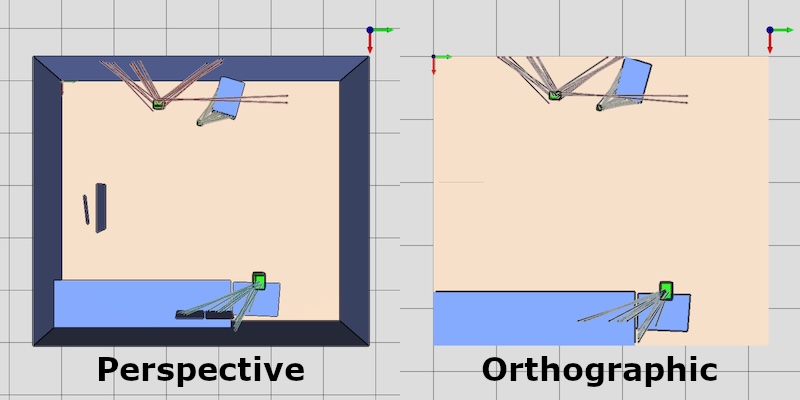
  • an orthographic camera view which shows the scene without perspective, much like a CAD program would

    HemoSpat 3D Viewer - Perspective vs. Orthographic

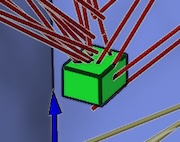
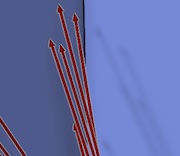
  • outlines on objects to make them stand out better

    HemoSpat 3D Viewer - Outlines

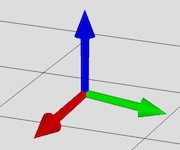
  • an axis indicator for orientation

    HemoSpat 3D Viewer - Gnomon

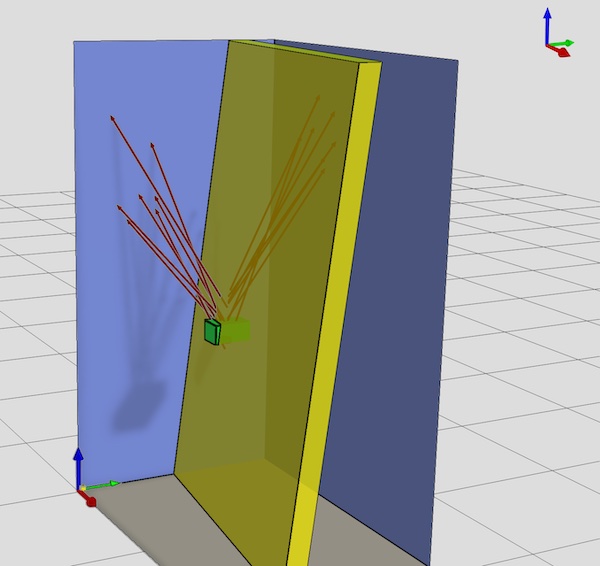
  • translucency for cast off planes

    HemoSpat 3D Viewer - Cast Off Plane

  • optional shadows

    HemoSpat 3D Viewer - Shadows

  • optional background grid
  • a more flexible save image dialog
  • better handling of dark mode/dark themes

You may still access the old viewer by selecting 3D Views (Deprecated) under the View menu. The old one will be removed in the next release.

Internal Changes

I made many other internal changes to support this new viewer and to set things up for new features and future updates. I have many things lined up for future releases already, but please contact me with any suggestions for features that would make your job easier.

Other Changes & Fixes

There are a whole bunch of bugs fixed in this release as well. Please see the release notes for more details.


Demo

A demo is available on this site which will let you try out the features of HemoSpat.

Feedback

I can only focus on one thing at a time and I rely on feedback to help figure out what that should be!

It would be very helpful to know:

  • What features (reports, viewers, exporters, etc.) do you use the most?
  • What features do you never use?
  • What features are confusing?
  • What’s missing to help you do your job more effectively?
  • If you don’t use HemoSpat, why not? What’s missing?

Basically, any information on how you use (or don’t use!) HemoSpat and what you would like to see in the future would be helpful. I look forward to any and all feedback. Please feel free to get in touch by email, using the contact form, or using the support form on the user site (requires login).


HemoSpat version 2.2.0 has been released with some new features & bug fixes. Thank you to those who have reported bugs, made suggestions, and tested fixes!

HemoSpat Icon

3D Viewer Preview

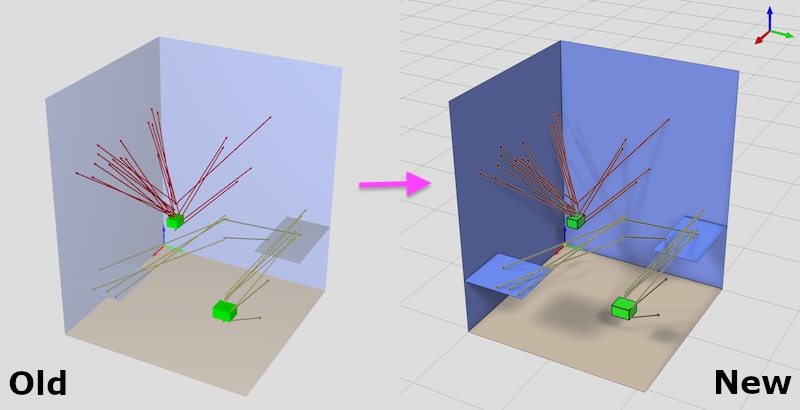
The technology powering the current 3D Viewer is going to be unsupported soon, so it needs to be replaced. A new viewer has been rewritten from scratch using a different technology. This viewer has been added as a preview to check that it works across different operating systems & graphics cards.

HemoSpat 3D Viewers - Comparison of Impact Patterns

You may access it by selecting 3D Views (Preview) under the View menu.

It has all the features of the old one, and adds new ones such as:

  • an orthographic camera view

    HemoSpat 3D Viewer - Perspective vs. Orthographic

  • outlines on objects to make them stand out more

    HemoSpat 3D Viewer - Outlines

  • an axis indicator for orientation

    HemoSpat 3D Viewer - Gnomon

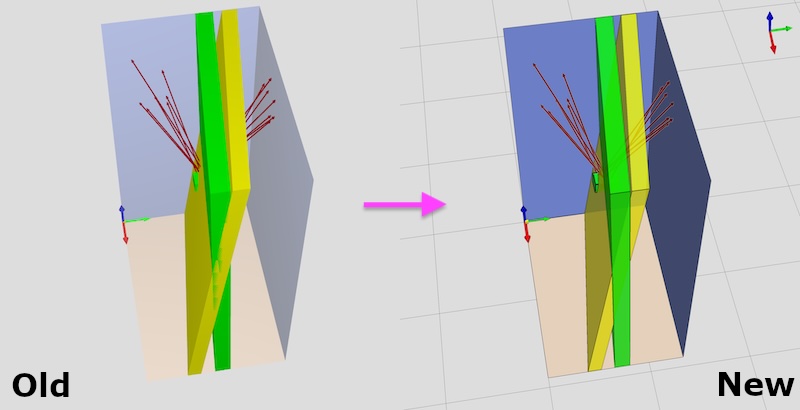
  • translucency for cast off planes
  • optional shadows

    HemoSpat 3D Viewer - Shadows

  • optional background grid
  • a more flexible save image dialog
  • better handling of dark mode/dark themes

This new version of the viewer will replace the old one in the next feature release, and the old viewer will be removed in the version after that.

HemoSpat 3D Viewers - Comparison of Cast Off Patterns

Please try it and report any problems!

You can contact me using the contact form or the support form on the user site.

Internal Changes

I made a lot of changes internally to support this new viewer and to set things up for new features and future updates. I have many things lined up for future releases already, but please contact me with any suggestions for features that would make your job easier.

Other Changes & Fixes

There are a whole bunch of bugs fixed in this release as well. Please see the release notes for more details.


Version 1.x Reminder

Reminder: HemoSpat version 1.x will no longer be supported as of 1 November 2025.

Demo

A demo is available on this site which will let you try out the features of HemoSpat.

Feedback

I can only focus on one thing at a time and I rely on feedback to help figure out what that should be.

It would be very helpful to know:

  • What features (reports, viewers, exporters, etc.) do you use the most?
  • What features do you never use?
  • What features do you have to use that you don’t like using or don’t understand?
  • What’s missing to help you do your job more effectively?
  • What do you wish HemoSpat could do for you that it doesn’t?
  • If you don’t use HemoSpat, why not? What’s missing?

Basically, any information on how you use (or don’t use!) HemoSpat and what you would like to see in the future would be helpful. I look forward to any and all feedback. Please feel free to get in touch by email, using the contact form, or using the support form on the user site (requires login).

HemoSpat version 2.1.1 has been released to address two bugs and a handful of buglets.

HemoSpat Icon

The two bugs were introduced in 2.0, and the workaround for both is the same: save the project and reopen it.

  • Importing multiple stains at once via the menu or drag & drop would swap the first two working images, though the thumbnails were correct
  • Deleting the last pattern does not reset the data entry area & then crashes when user drags in new images.

The smaller bugs were related to updating the Results Summary window and some inconsistencies in other areas of the user interface.

License holders may download the latest versions from their dashboard on the user site.

Thank you to those who have reported bugs, made suggestions, and tested fixes!

(Please see the release notes for more details)

Feedback

HemoSpat is a one-man show, so I can only focus on one thing at a time. I rely on feedback to help figure out what part of the software I should be focusing on.

It would be very helpful to know:

  • What features (reports, viewers, exporters, etc.) do you use the most?
  • What features do you never use?
  • What features do you have to use that you don’t like using or don’t understand?
  • What’s missing to help you do your job more effectively?
  • What do you wish HemoSpat could do for you that it doesn’t?
  • If you don’t use HemoSpat, why not? What’s missing?

Basically, any information on how you use (or don’t use!) HemoSpat and what you would like to see in the future would be helpful. I look forward to any and all feedback. Please feel free to get in touch by email, using the contact form, or using the support form on the user site (requires login).
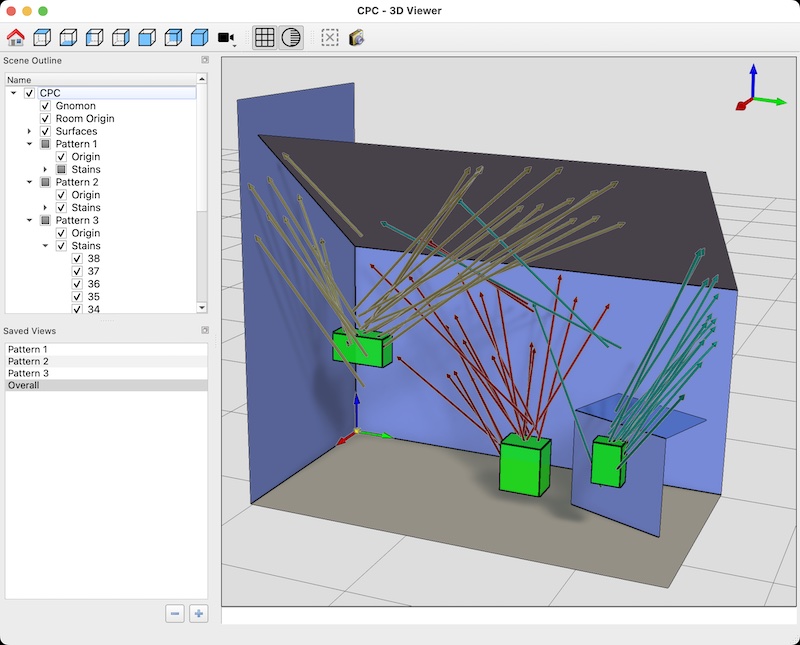
I am pleased to announce the release of HemoSpat 2.1 for macOS 14, macOS 15, Windows 10, and Windows 11.

HemoSpat Icon

This release adds a new glTF exporter, builds on the previous work on cast-off patterns, adds ARM builds for macOS, adds a log to help diagnose issues, and fixes several bugs.

(Please see the release notes for details of the changes in HemoSpat 2.1.)

(more…)